Description
This plugin adds 18 unique power-ups to CS 1.6, giving players temporary abilities, boosts, and special effects while tracking weapons, ammo, and player states.
All power-ups are fully dynamic and configurable, allowing their effects, duration, and behavior to be changed during gameplay.
Power-ups are stackable, so using multiple instances combines their effects.
All power-up settings are stored in the configuration file configs/PowerUps.ini .
Ammo - Adds ammo to the clip and backpack of the current weapon.
Ammo2 - Adds ammo to the clip and backpack of all weapons.
Bomb - Adds any combination of bombs to the player’s inventory.
Clock - Increases reload speed temporarily.
Health - Restores player health.
Health2 - Regenerates health temporarily.
Lightning - Boosts player speed temporarily.
Lightning2 - Gives an instant forward speed boost.
Mask - Reduces player visibility temporarily.
Mask2 - Swaps the player’s model to the enemy team temporarily.
Rocket - Rockets the player sky-high with explosive impact.
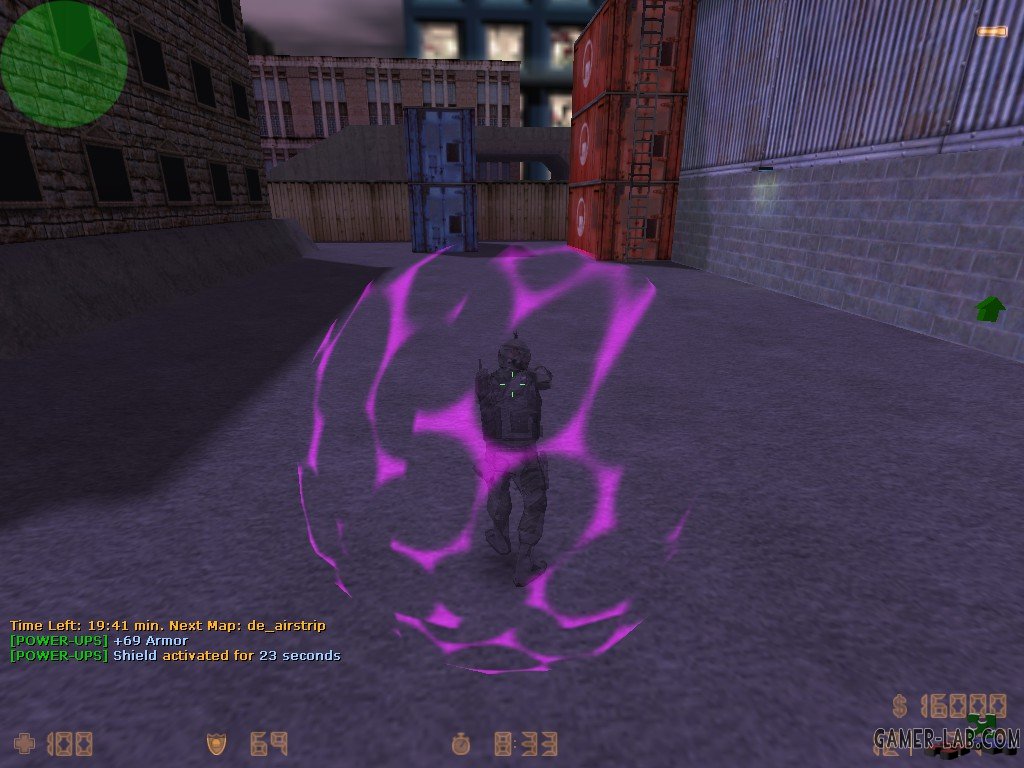
Shield - Grants a shield that absorbs and reflects damage temporarily, and adds armor.
Skull - Increases damage, steals life, and turns the player into a skeleton temporarily.
Stun - Makes the player see wobbly, colorful, and dizzy temporarily.
Stun2 - Grants the player a shower of constant slaps temporarily.
Up - Launches the player upward instantly, like a trampoline.
Up2 - Grants extra jumps and modifies gravity temporarily.
Wings - Brings spectators back to life.
Commands
* Commands:
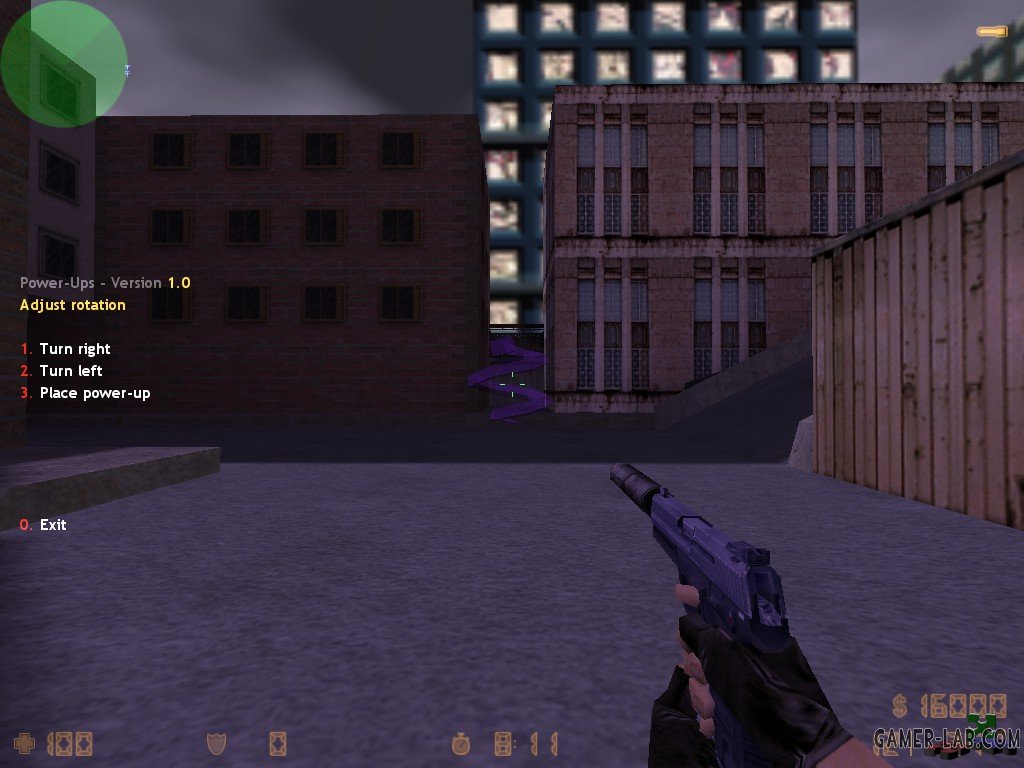
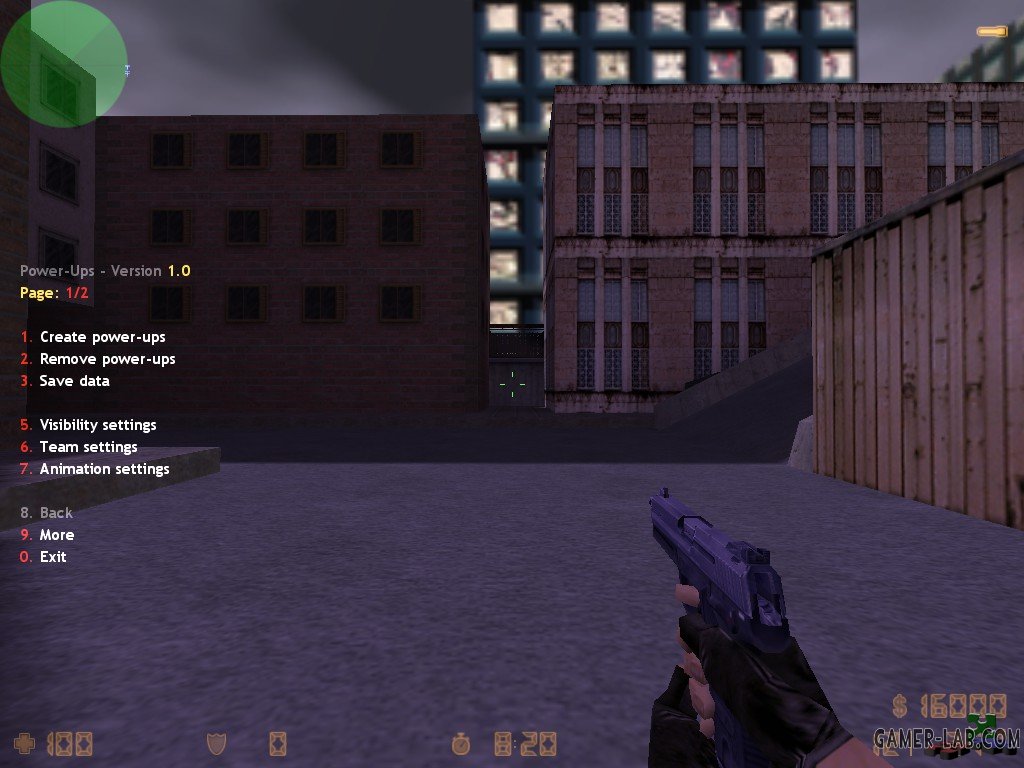
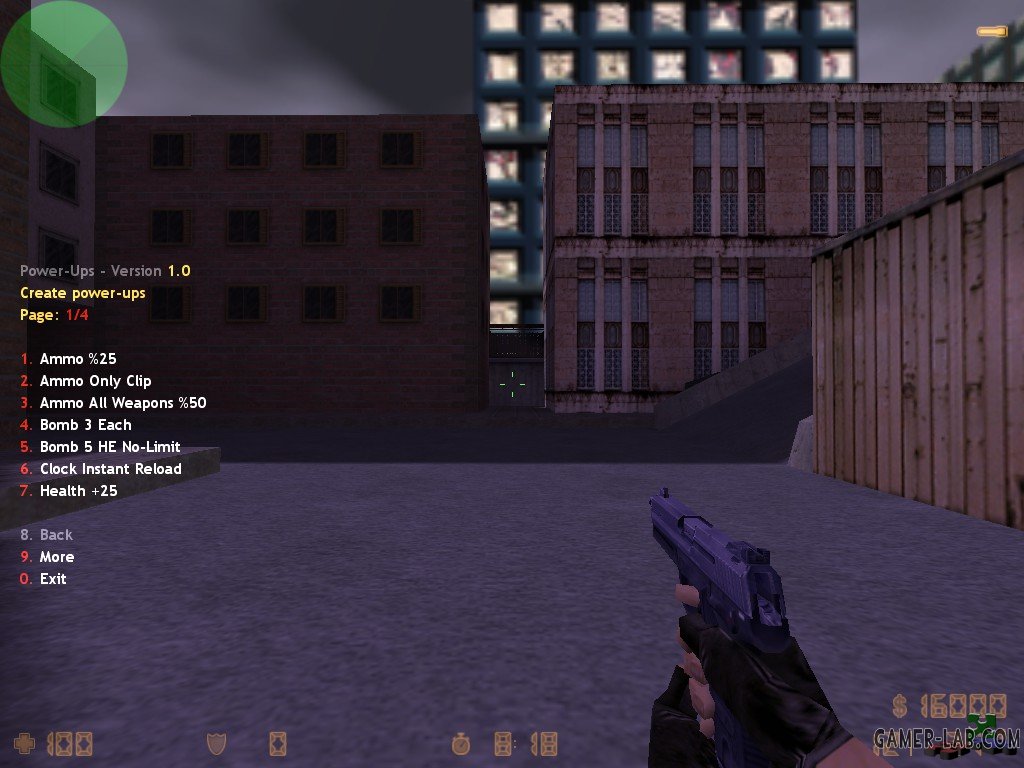
* say /pu "Opens the Power Ups menu."
* say_team /pu "Opens the Power Ups menu."
* say /power "Opens the Power Ups menu."
* say_team /power "Opens the Power Ups menu."
* pu_reload "Reloads the configuration file."
* power_reload "Reloads the configuration file."
Adding Power-Ups
Power-Ups can be added in the config file "configs/PowerUps.ini" by placing the power-up name in square brackets on a new line.
Example: [Ammo]
To add a new Power, follow the example below
# [Power Name]
# POWER_MODEL = Path of power's model
# POWER_FLAGS = a - Sparkle, b - Sound, c - Message
# POWER_TEAM = 0 - Disabled 1 - Terrorist Only, 2 - CT Only, 3 - Both Teams
# POWER_SPAWN_MODE = 0 - Never 1 - Delay, 2 - Round Start
# POWER_SPAWN_MIN = Minimum respawn time in seconds (used if SPAWN_DELAY)
# POWER_SPAWN_MAX = Maximum respawn time in seconds (used if SPAWN_DELAY)
# POWER_SPAWN_CHANCE = Power's respawn probability (0.0 = never, 1.0 = always)
# POWER_SPAWN_ANIMATION = 0 - Idle 1 - Spin 2 - Float 3 - Spin-Float
# POWER_SPAWN_FRAME = Starting frame of the animation sequence
# POWER_SPAWN_FRAMERATE = Power's respawn probability (0.0 = never, 1.0 = always)
# POWER_SPAWN_CLASS = Used to allocate extra data per power-up:
# 0 = Ammo
# 1 = Ammo2
# 2 = Bomb
# 3 = Clock
# 4 = Health
# 5 = Health2
# 6 = Lightning
# 7 = Lightning2
# 8 = Mask
# 9 = Mask2
# 10 = Rocket
# 11 = Shield
# 12 = Skull
# 13 = Stun
# 14 = Stun2
# 15 = Up
# 16 = Up2
# 17 = Wings
# --- CLASS_AMMO:
# AMMO_CLIP = Amount of ammo to add to the current weapon’s clip
# AMMO_AMMO = Amount of ammo to add to the weapon’s backpack
# AMMO_MODE = 0 - Relative to the max 1 - Absolute value
# AMMO_OVERFLOW = If true, allows ammo to exceed the weapon’s normal max capacity
# --- CLASS_AMMO2:
# AMMO2_CLIP = Amount of ammo to add to the current weapon’s clip
# AMMO2_AMMO = Amount of ammo to add to the weapon’s backpack
# AMMO2_MODE = 0 - Relative to the max 1 - Absolute value
# AMMO2_OVERFLOW = If true, allows ammo to exceed the weapon’s normal max capacity
# --- CLASS_BOMB:
# BOMB_HE_SUPPLY = Amount of HE grenades to give
# BOMB_FB_SUPPLY = Amount of Flashbangs to give
# BOMB_SMOKE_SUPPLY = Amount of Smoke grenades to give
# BOMB_HE_LIMIT = Maximum HE grenades the player can hold
# BOMB_FB_LIMIT = Maximum Flashbangs the player can hold
# BOMB_SMOKE_LIMIT = Maximum Smoke grenades the player can hold
# BOMB_OVERFLOW = If true, allows grenade counts to exceed the normal maximum
# --- CLASS_CLOCK:
# CLOCK_SPEED = Weapon reload speed to set
# CLOCK_DURATION_MIN = Minimum duration of the speed boost
# CLOCK_DURATION_MAX = Maximum duration of the speed boost
# CLOCK_STACK = If true, multiple Clock power-ups can stack their effects
# --- CLASS_HEALTH:
# HEALTH_MIN = Minimum amount of health restored
# HEALTH_MAX = Maximum amount of health restored
# HEALTH_LIMIT = Maximum health the player can reach with this power-up
# HEALTH_SCREEN_FADE = If true, triggers screen fade effect when healing
# HEALTH_OVERFLOW = If true, allows health to exceed the normal maximum
# --- CLASS_HEALTH2:
# HEALTH2_MIN = Minimum amount of health restored per tick
# HEALTH2_MAX = Maximum amount of health restored per tick
# HEALTH2_FREQ = Frequency of health regeneration (seconds per tick)
# HEALTH2_DURATION_MIN = Minimum total duration of the regeneration effect
# HEALTH2_DURATION_MAX = Maximum total duration of the regeneration effect
# HEALTH2_LIMIT = Maximum health the player can reach with this power-up
# HEALTH2_SCREEN_FADE = If true, triggers screen fade effect when regenerating
# HEALTH2_OVERFLOW = If true, allows health to exceed the normal maximum
# HEALTH2_STACK = If true, multiple Health2 power-ups can stack their effects
# --- CLASS_LIGHTNING:
# LIGHTNING_MIN = Minimum speed set while the power-up is active
# LIGHTNING_MAX = Maximum speed set while the power-up is active
# LIGHTNING_DURATION_MIN = Minimum duration of the speed effect
# LIGHTNING_DURATION_MAX = Maximum duration of the speed effect
# LIGHTNING_MODE = 0 - Relative 1 - Absolute
# LIGHTNING_STACK = If true, multiple Lightning power-ups can stack their effects
# --- CLASS_LIGHTNING2:
# LIGHTNING2_MIN = Minimum forward speed applied instantly
# LIGHTNING2_MAX = Maximum forward speed applied instantly
# LIGHTNING2_DELAY_MIN = Minimum delay before applying the effect
# LIGHTNING2_DELAY_MAX = Maximum delay before applying the effect
# LIGHTNING2_DELAY_SPEED = Speed during the delay before the effect activates
# LIGHTNING2_TRAIL_COLOR[4] = RGBA color of the lightning trail effect
# LIGHTNING2_STACK = If true, multiple Lightning2 power-ups can stack their effects
# --- CLASS_MASK:
# MASK_ALPHA_MIN = Minimum alpha (transparency) of the player
# MASK_ALPHA_MAX = Maximum alpha of the player
# MASK_DURATION_MIN = Minimum duration of the effect
# MASK_DURATION_MAX = Maximum duration of the effect
# MASK_FOOTSTEP = If true, footsteps are silenced while masked
# MASK_STACK = If true, multiple Mask power-ups can stack their effect
# --- CLASS_MASK2:
# MASK2_DURATION_MIN = Minimum duration of the enemy model effect
# MASK2_DURATION_MAX = Maximum duration of the enemy model effect
# MASK2_MODEL_FLAG = a - First model, b - Second model, c - Third model, d - Forth model
# MASK2_OVERRIDE = If true, overrides existing Mask2 effects
# --- CLASS_ROCKET:
# ROCKET_DAMAGE = Damage dealt on explosion
# ROCKET_PUSH = Push force applied to the player
# ROCKET_GAP_PUSH = Delay between each push applied to the player
# ROCKET_GAP_SMOKE = Delay between each smoke effect triggered during push
# ROCKET_DURATION_MIN = Minimum duration of rocket flight effect
# ROCKET_DURATION_MAX = Maximum duration of rocket flight effect
# ROCKET_SPEED = Movement speed of player when lauched (0.01 to freeze in place)
# ROCKET_GIB = If true, the player is gibbed upon explosion
# --- CLASS_SHIELD:
# SHIELD_ARMOR_MIN = Minimum armor added
# SHIELD_ARMOR_MAX = Maximum armor added
# SHIELD_ARMOR_LIMIT = Maximum armor the player can have
# SHIELD_ARMOR_OVERFLOW = If true, allows armor to exceed the normal max
# SHIELD_ARMOR_TYPE = 1 - Kevlar, 2 - Vesthelm
# SHIELD_FACTOR_ABSORB = Fraction of incoming damage absorbed
# SHIELD_FACTOR_REFLECT = Fraction of damage reflected to attackers
# SHIELD_DURATION_MIN = Minimum duration of the shield effect
# SHIELD_DURATION_MAX = Maximum duration of the shield effect
# SHIELD_SIZE = 0 - Small, 1 - Medium, 3 - Large
# SHIELD_COLOR[4] = RGBA color of the shield
# SHIELD_STACK = If true, multiple Shield power-ups can stack
# --- CLASS_SKULL:
# SKULL_FACTOR_DAMAGE = Fraction applied to player damage
# SKULL_FACTOR_BLOOD = Fraction of life stolen from targets
# SKULL_DURATION_MIN = Minimum duration of the effect
# SKULL_DURATION_MAX = Maximum duration of the effect
# SKULL_STACK = If true, multiple Skull power-ups can stack
# --- CLASS_STUN:
# STUN_AMPLITUDE = Magnitude of screen shake
# STUN_FREQUENCY = Frequency of screen shake
# STUN_DURATION_MIN = Minimum duration of the effect
# STUN_DURATION_MAX = Maximum duration of the effect
# STUN_FOV = If true, FOV is affected
# STUN_FADE = If true, screen fades during effect
# STUN_SHAKE = If true, camera shake is applied
# STUN_STACK = If true, multiple Stun power-ups can stack
# --- CLASS_STUN2:
# STUN2_FREQ_MIN = Minimum time between consecutive slaps
# STUN2_FREQ_MAX = Maximum time between consecutive slaps
# STUN2_DAMAGE_MIN = Minimum damage per slap
# STUN2_DAMAGE_MAX = Maximum damage per slap
# STUN2_DURATION_MIN = Minimum duration of the effect
# STUN2_DURATION_MAX = Maximum duration of the effect
# STUN2_DIRECTION = 0 - Forward, 1 - Random
# STUN2_KILL = If true, slaps can kill the player
# STUN2_STACK = If true, multiple Stun2 power-ups can stack
# --- CLASS_UP:
# UP_MIN = Minimum upward push applied
# UP_MAX = Maximum upward push applied
# UP_TRAIL_COLOR[4] = RGBA color of the upward effect trail
# --- CLASS_UP2:
# UP2_JUMP_MIN = Minimum number of extra jumps granted
# UP2_JUMP_MAX = Maximum number of extra jumps granted
# UP2_DURATION_MIN = Minimum duration of the effect
# UP2_DURATION_MAX = Maximum duration of the effect
# UP2_GRAVITY = Gravity applied while effect is active
# UP2_STACK = If true, multiple Up2 power-ups can stack
# --- CLASS_WINGS:
# WINGS_ORIGIN = 0 - Spawn, 1 - Self
# WINGS_HEALTH = Health assigned to the revived player
# WINGS_SAVE_WEAPONS = If true, player’s weapons are restored on revival
# WINGS_SAVE_AMMO = If true, player’s ammo is restored on revival
# WINGS_LIGHTNING = If true, shows a lightning strike effect on the player during revival
# To make an Power available in the menu, you must defined at least it's name like this [Ammo]
# When creating a new power-up, first define the common properties such as model and flags.
# Then, set the power-up’s class, and then specify any extra properties associated with that class.
VIDEO
https://github.com/RedSMURF16/Power-Ups/archive/refs/heads/PowerUps1.0.zip][size=3][b]DOWNLOAD Power-Ups v1.0
Changelog
* v1.0: Initial release.